
China's annual tax filing season has arrived, and even though the deadline for submitting your Individual Income Tax (IIT) return is not until June 30, it’s a good idea to take care of it early while it’s still fresh in your mind.
Filing taxes might seem daunting, but thanks to the "个人所得税 gèrén suǒdéshuì" (Individual Income Tax) app, it’s simpler than you might imagine. To further assist you, we have compiled a step-by-step guide to help navigate the process smoothly!
**Step One**
If you haven’t yet downloaded the tax app, you will need to find it by searching for "个人所得税" in your app store.
**Step Two**
Next, you’ll need to create an account to access the app. If you have previously filed for an individual tax refund, you should already have an account and can skip this step. If not, you must visit your local tax office and get a registration code. For tips on visiting the tax office, refer to this article.
**Step Three**
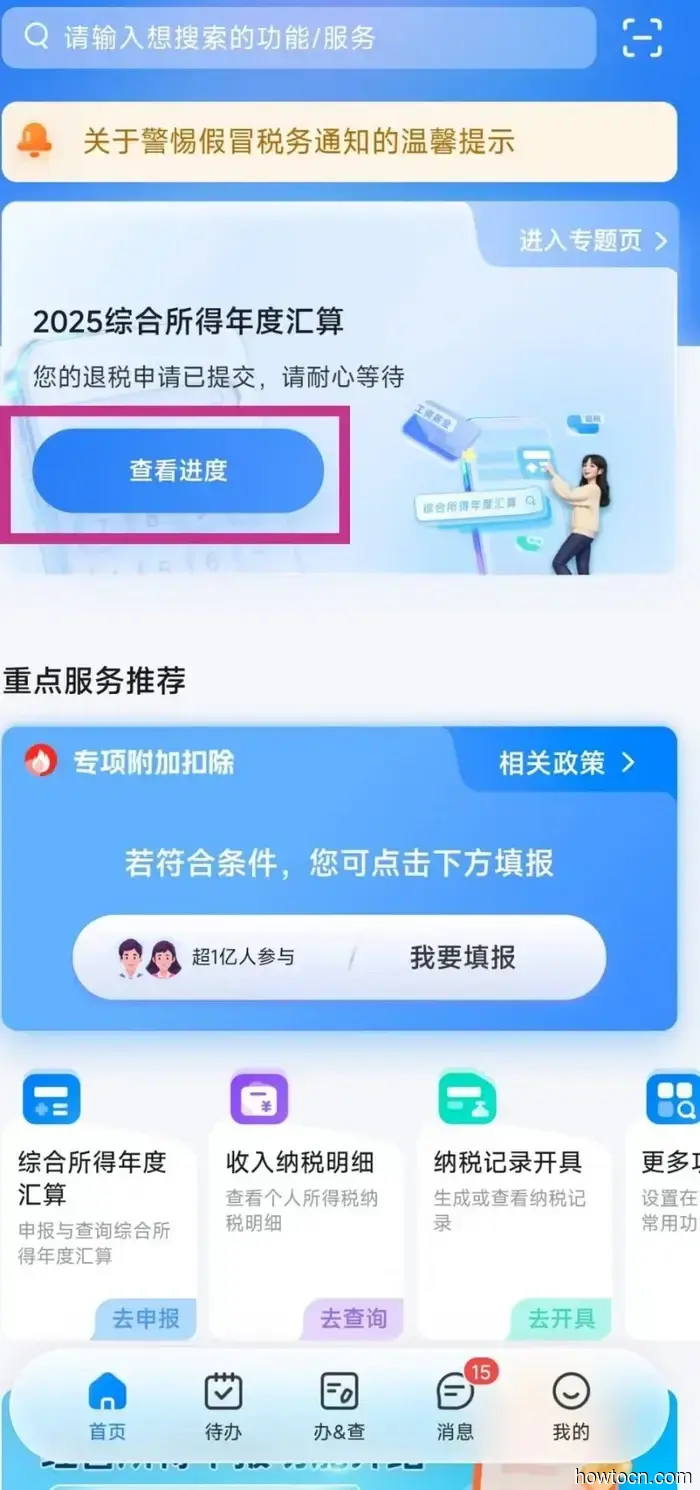
Launch the app and click on the blue button in the 2025 Individual Income Tax submission section at the top of the page labeled "进入专题页" (go to the dedicated page).
**Step Four**
You will be redirected to a login page. Click the orange button "立即登录" (immediately log in).
**Step Five**
Enter your username, which should be either your phone number or passport number, along with your password. Slide the validation bar below and click "登录" (log in).
**Step Six**
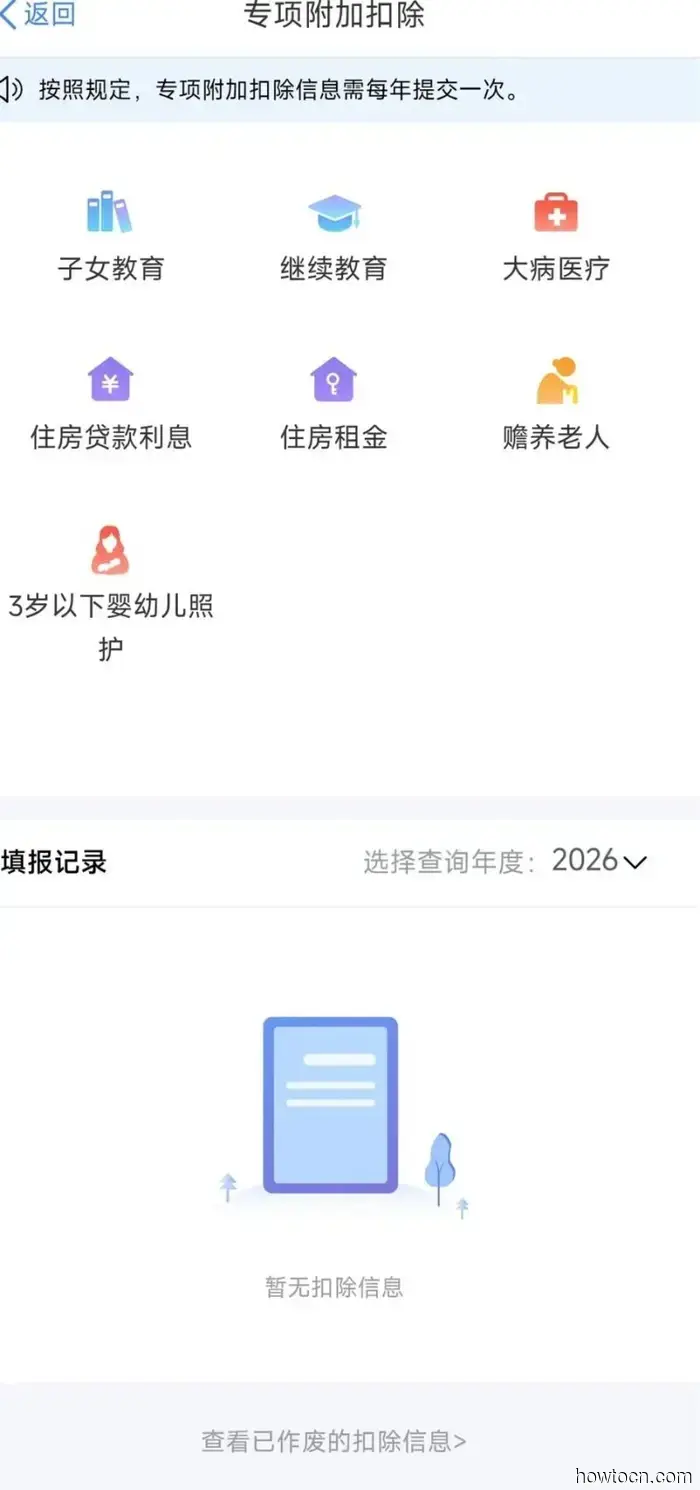
You will then arrive at a page where you can begin your application. However, before that, you should claim any special deductions you might have. Scroll down to find the section titled "专项附加扣除信息" (special additional deductions).
**Step Seven**
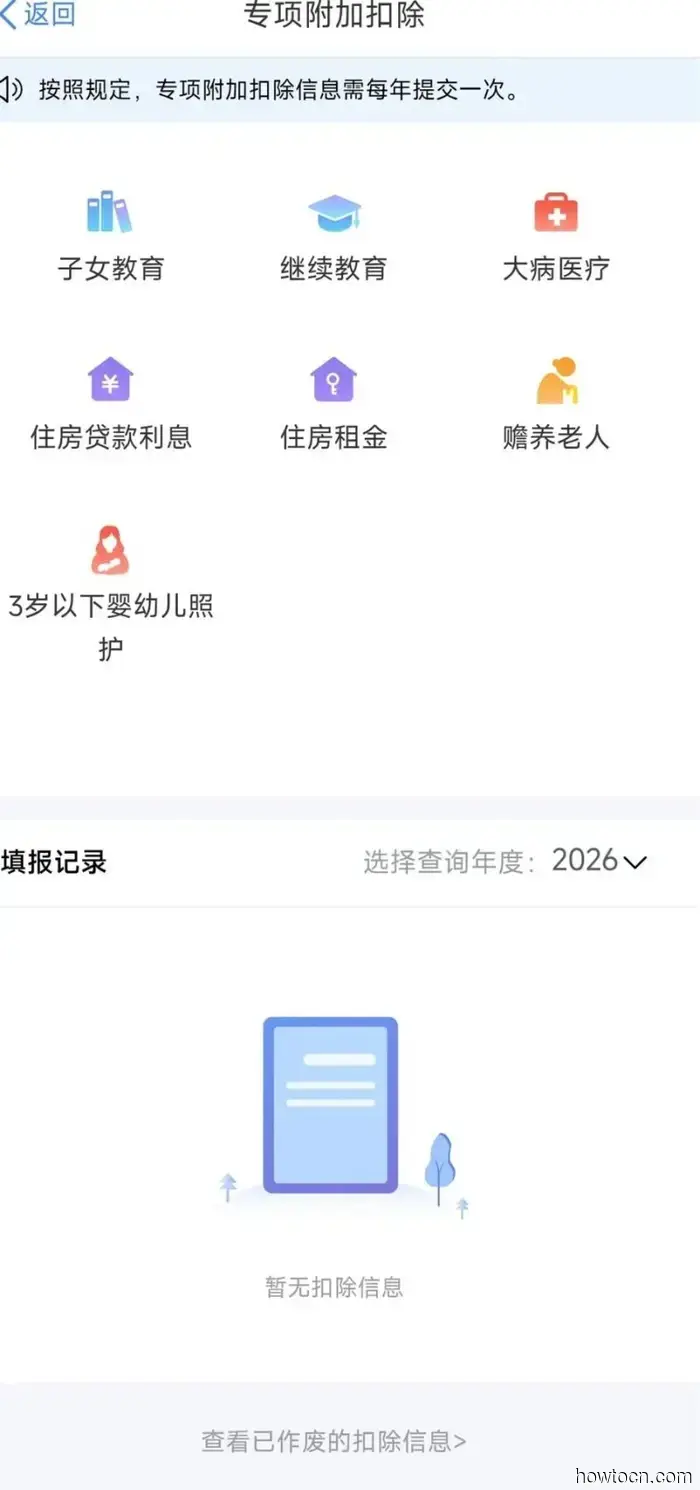
You can choose from seven different deductions: children’s education, ongoing education, medical expenses, housing loan interest, housing rent, elderly care, and caring for children under three years old. Your eligibility for these deductions will depend on your specific circumstances, but the most frequently claimed deduction is for rent. We've outlined that process below. If you believe you qualify for deductions other than rent, it’s advisable to contact your HR department for assistance.
**Rental Deduction**
Click on "住房租金" (housing rental fee) and select the year 2025. A pop-up will remind you to prepare necessary documents, like your housing contract. Click the large blue button "准备完毕,进入埴报" (preparation complete, entering the registration process).
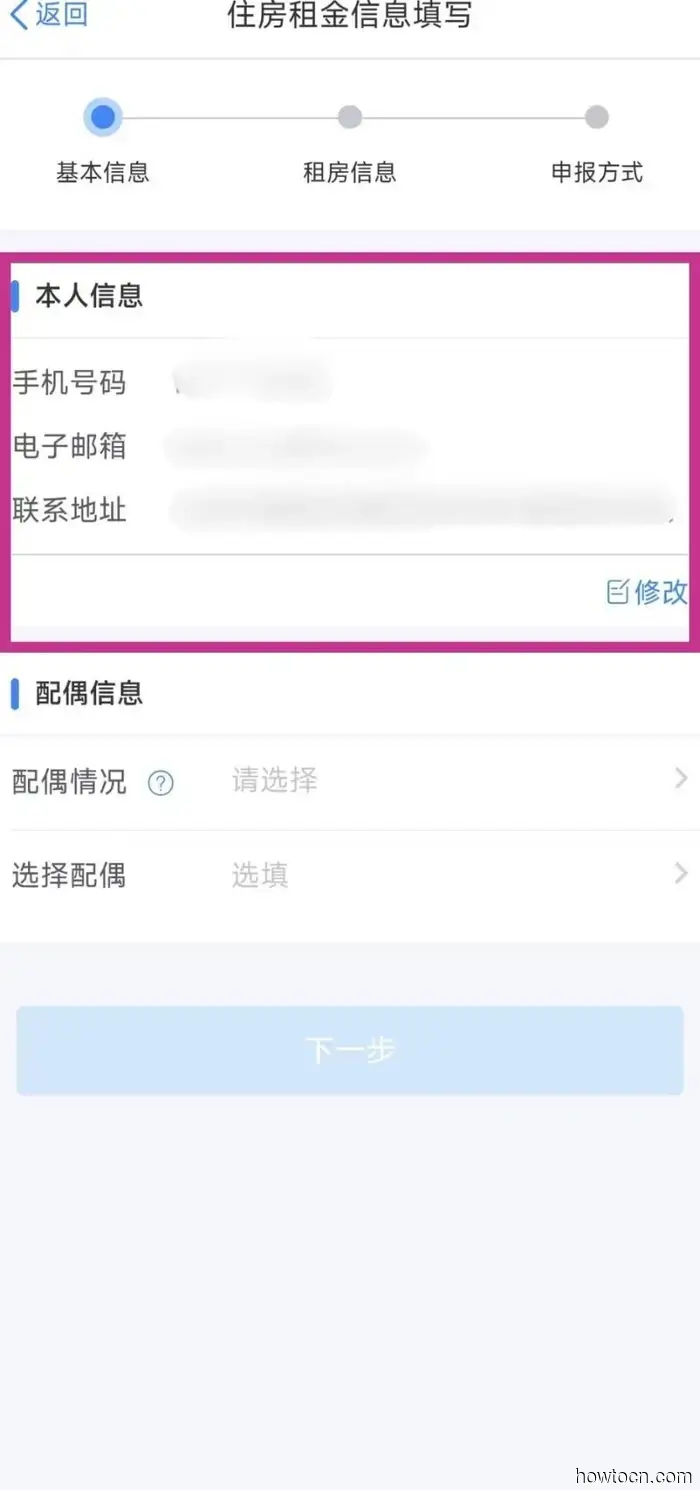
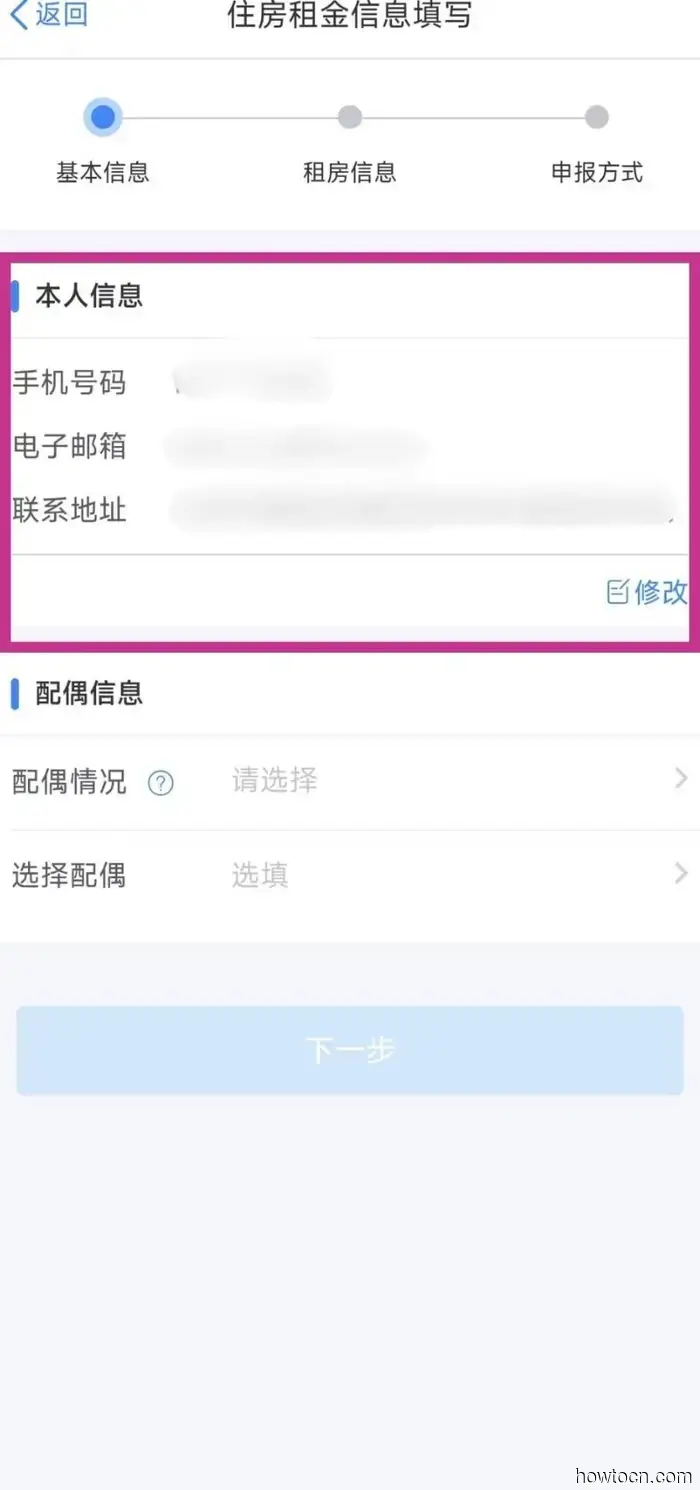
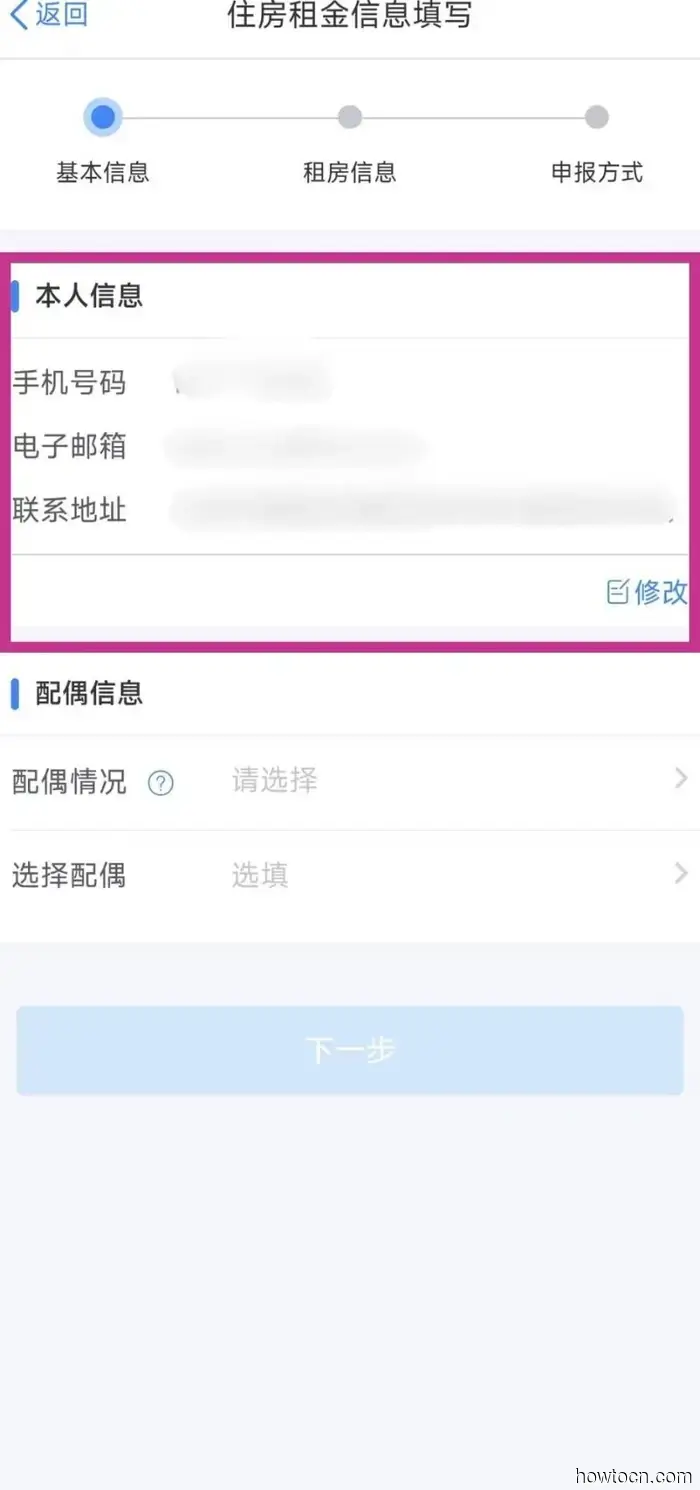
You will then need to fill out your personal information at the top of the page, including your phone number, email, and accommodation address.
Next, there’s a section for information about your spouse. If you don’t have a spouse, select "无配偶", or if you do, select "有配偶" and provide their information.
Then click the blue button "下一步" (next step). A new page will appear where you will input details of your rental contract, such as the address and dates of the contract. You’ll also find a translation side-by-side for guidance.
At the bottom of the page, click on "证明材料" (supporting documentation) to upload a copy of your rental contract as supporting evidence.
After that, click the blue button at the bottom, "下一步" (next step) to submit your rental deduction.
**Step Eight**
Once you've submitted your deductions, click on the orange button "开始申报", and you’ll need to confirm that you reside in China by clicking "是".
**Step Nine**
You’ll then be asked to agree to a standard declaration notice. Click the blue button "我已阅读并知晓" (I have read and understood this), and you’ll be directed to a page with your basic information, including your name and employer. Click the blue button "下一步" (next step).
**Step Ten**
Next, you will see a summary page with your salary and tax records from the past year. If everything appears correct and you wish to submit your application, click "下一步" (next step) and then "继续" (continue).
**Step Eleven**
You will reach a page displaying the amount of tax you are eligible to be refunded, shown in orange at the bottom. If all details are accurate, click "下一步" (next step) and then "确认" (confirm) on the pop-up to finalize your refund submission.
**Step Twelve**
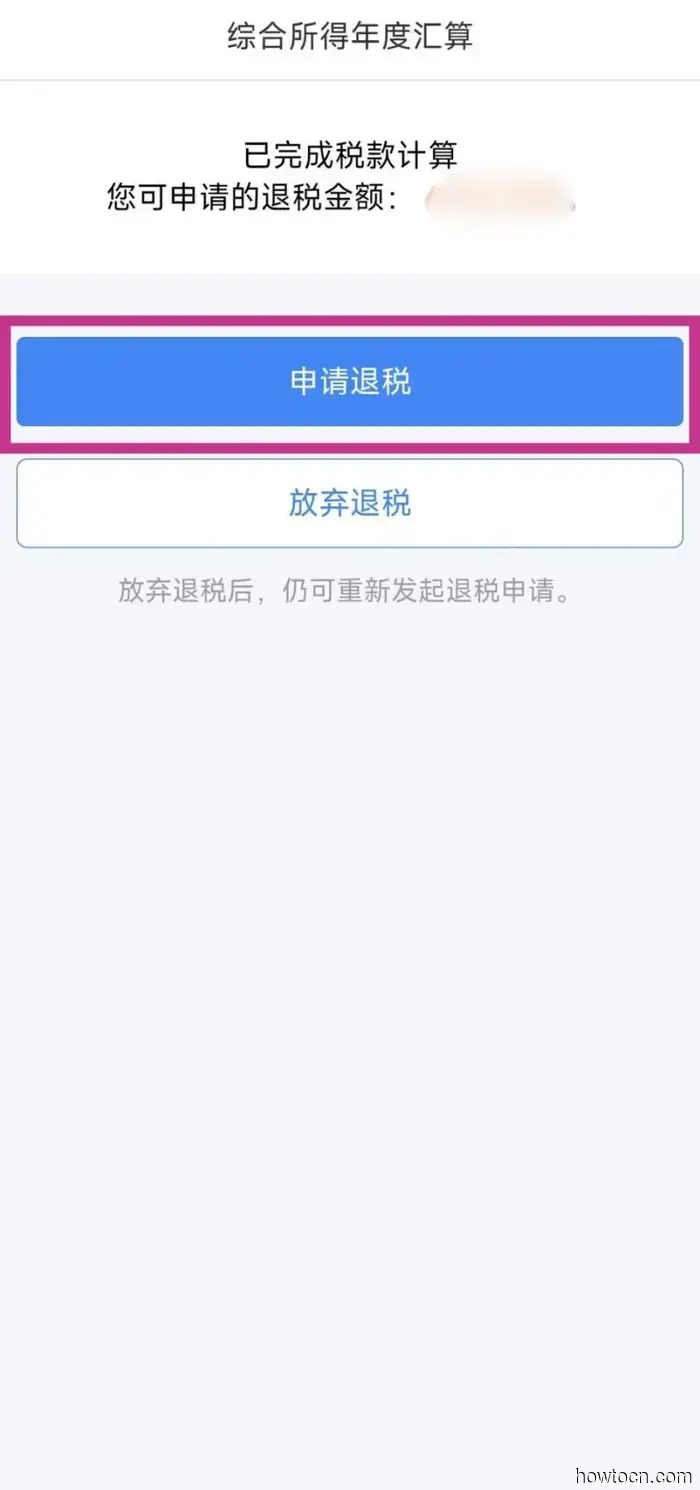
If your declaration is successful, you’ll be redirected to a page where you can claim your refund. Click the blue button "申请退税" (apply for tax refund).
**Step Thirteen**
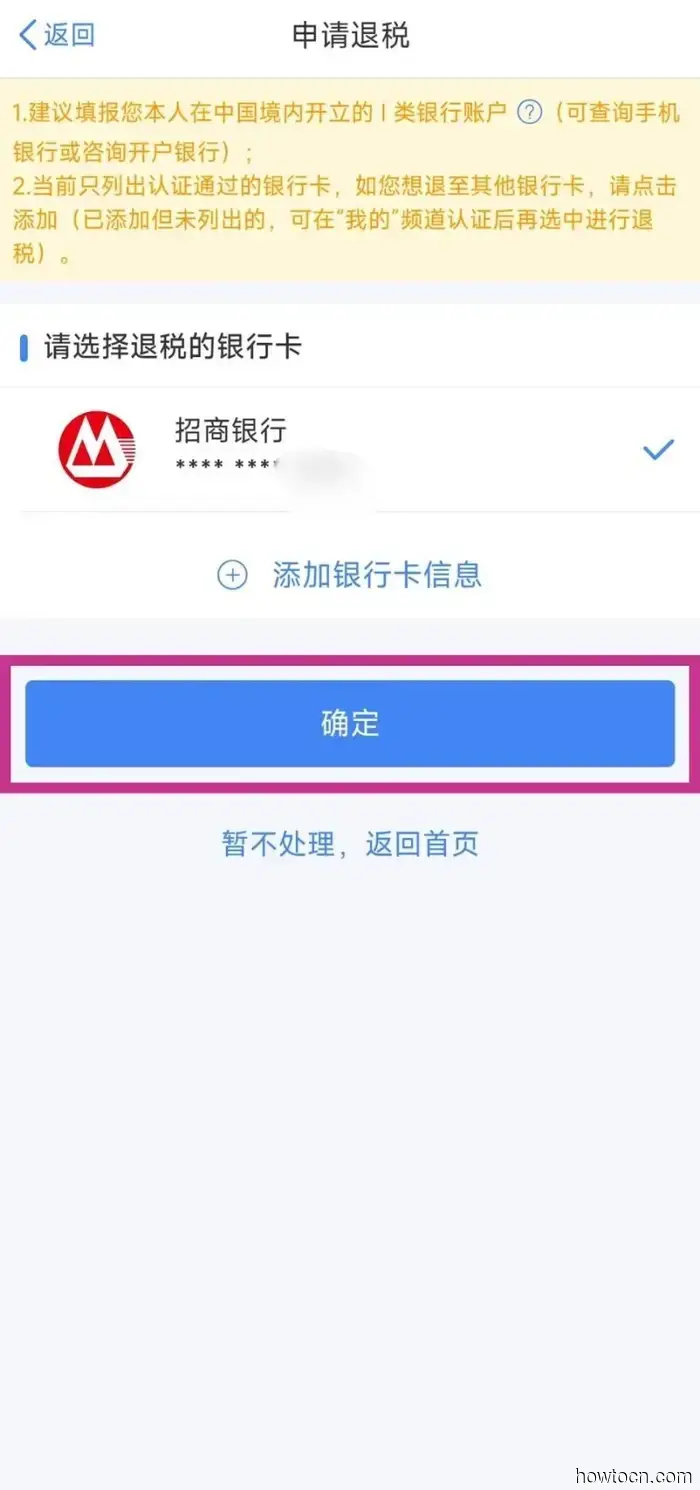
Choose the bank card to which you want the refund to




以下是通过个人所得税应用程序提交税务申报的方法。